Decore-ative Specialties: Fine Crafted Cabinet Doors
 
HomeView ProductsDesigner


Frequently Asked Questions


Decore-ative Specialties Cabinet Vision Wood Door Catalog


What is the door catalog and how does it work?


What if I use an older version of Cabinet Vision Solid?


Do you support Cabnetware?


If I have Cabnetware, can I upgrade with Cabinet Vision?


What is the price for the Decore-ative Specialties door catalog in Cabinet Vision?


Where can I get Cabinet Vision?


Can I make changes to the door profiles in the catalog to make them custom?


Can I add other style doors to the catalog?


Are drawer boxes from Decore-ative Specialties available in the catalog?


Are Deco-form (RTF) products from Decore-ative Specialties available in the catalog?


Is pricing for Decore-ative Specialties doors included in the door catalog?

    How do I view the Decore Door Catalog in the catalog editor?
    How do I design a job using the Decore Door Catalog?
    Will this erase my door catalog?
    If I have a problem, where do I get help?


Decore-ative Specialties Software Web Import


What is the Software Web Import?


What are the requirements to place orders from Planit to Decore-ative Specialties website?


Can I place orders online now?


Do I have to place orders online if I use Cabinet Vision?

    When I try to upload my job, what happens when I get an error page?
    How do I change my preferences?


What is the door catalog and how does it work?
   

The door catalog is a digital compilation of Decore-ative Specialties wood door styles that can be used in Planit’s Cabinet Vision software 4.0, build 359 (or later) and 4.1, build 137 (or later).  You can select from doors, drawer fronts, glass doors, and french lites from Decore-ative Specialties list of standard door styles.

   
What if I use an older version of Cabinet Vision Solid?
   

At this time we are only supporting Cabinet Vision Solid 4.0 and 4.1.  Use of the catalog in older versions may cause errors.

   
Do you support Cabnetware?
    At this time we do not support Cabnetware.
   
If I have Cabnetware, can I upgrade with Cabinet Vision?
   

The Cabinet Vision upgrade will not work with Cabnetware.  In order to use Decore-ative Specialties’ door catalog you will need to purchase Cabinet Vision by contacting Planit at 800-753-8009.

   
What is the price for the Decore-ative Specialties door catalog in Cabinet Vision?
   

If you already have Cabinet Vision and are up-to-date with upgrades, there is no charge for Decore-ative Specialties’ door catalog.

   
Where can I get Cabinet Vision?
   

If you do not have Cabinet Vision or need to upgrade to Cabinet Vision 4.1, you will need to contact Planit to purchase the software or software upgrade.  If you are currently running Cabinet Vision 4.1 and are up-to-date with the build, you can obtain a copy of the Decore-ative Specialties’ door catalog visiting www.decore.com.

   
Can I make changes to the door profiles in the catalog to make them custom?
   

At this time changes cannot be made to the doors in the catalog.  If you want to make an inside, outside, or panel profile change to your order you can specify the change in special instructions when your order is placed online with Anytime.  For East Coast customers, the Custom Design Series is available in the catalog with all the profile options available in our current price book.  You will be prompted to choose the edge detail of your choice and will need to reselect those profiles when you verify your order online with Anytime.

   
Can I add other style doors to the catalog?
   

You can add other door styles to your catalog, but can not add door styles to the Decore Catalog.

   
Are drawer boxes from Decore-ative Specialties available in the catalog?
   

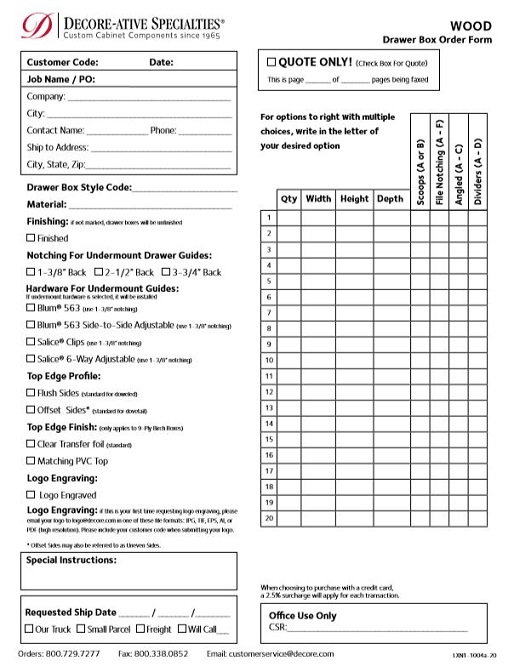
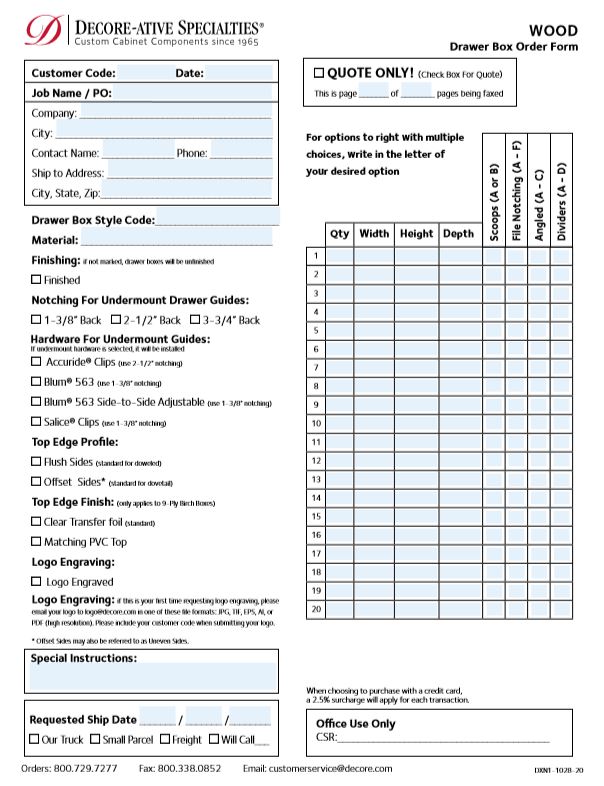
At this time drawer boxes are not available.  For now, to place drawer box orders please print the drawer box list from the Cabinet Vision Report Center and enter your drawer box order online with Anytime.

   
Are Deco-form (RTF) products from Decore-ative Specialties available in the catalog?
   

At this time we do not have our Deco-form products in the CV software.  This is something we are hoping to add in the future. 

   
Is pricing for Decore-ative Specialties doors included in the door catalog?
   

At this time we do not have our pricing in the CV software.  This is something we are hoping to add in the future. 

   
How do I view the Decore Door Catalog in the catalog editor?
    Open Cabinet Vison. Go to Catalog > Door. When the catalog editor opens, go to File > Open Door Catalog and open the Decore-ativeSpecialt.ddb file. You may now view the Decore Door Catalog.
   
How do I design a job using the Decore Door Catalog?
    Under the Materials tab, click on Door Style. When the "Select A Door" window appears, you will notice at the bottom of the window a drop down menu. Click on the drop down menu and choose the Decore-ativeSpecialt.ddb file. Now you can choose a door within the Decore Door Catalog.
   
Will this erase my door catalog?
    No it will not. You will now have 2 catalogs. One will be the catalog you have created and the other will be the Decore Door Catalog.
   
If I have a problem, where do I get help?
    If you have a problem that is related to Cabinet Vision, please contact Planit at (800) 753-8009. If you have a problem that is related to the Web Import, please contact Decore at (877) 4-DECORE.
   
What is the Software Web Import?
   

The Software Web import allows customers to create a job in Planit’s Cabinet Vision Solid 4.1 and export it to the Decore-ative Specialties web site where the user will be able to place an order.

   
What are the requirements to place orders from Planit to Decore-ative Specialties website?
   

The requirements are the following:

  • Planit Vision Solid 4.0, build 359 or later and Solid 4.1, build 137 or later
  • Planit/Decore installation of catalog and export button
  • Internet Connection (High speed internet preferred)
  • Registered customer and web user on www.decore.com
   
Can I place orders online now?
   

Decore.com has the capability of taking online orders now.  Please register for a login to begin placing orders online.

   
Do I have to place orders online if I use Cabinet Vision?
   

Of course not.  After you create your job in Cabinet Vision, you are able to place your order by phone or fax.  However, the great benefit of Cabinet Vision is that you will now be able to export your job directly into Decore-ative Specialties’ secure Anytime Online Account Management™ System.  You can eliminate faxing, calling in, and typing orders.  It’s that simple!

   
When I try to upload my job, what happens when I get an error page?
    When you try to upload your job file and hit "Submit" and you get an error page that states "This page can not be displayed", you will need to run an update on your Planit version. Simply go to your 'Start' menu, select 'Planit', then 'Solid' and choose 'Update Version'. After you update your version, try to upload your job again.
   
How do I change my preferences?
    In the My Preferences section (located on the Anytime homepage) you can set preferences so that when orders are placed, options will be defaulted to those preferences. For example, if you usually pick up your orders in Will Call, you can set up your preferences to default to Will Call.
   
Sign-up Today! Click here!Forgot Your Username or Password?Tell us your story!Don't Have Cabinet Vision 4.0? Click here!
   
 
Copyright © 2008 Decore-ative Specialties NC, LLC
Legal